Due ledger
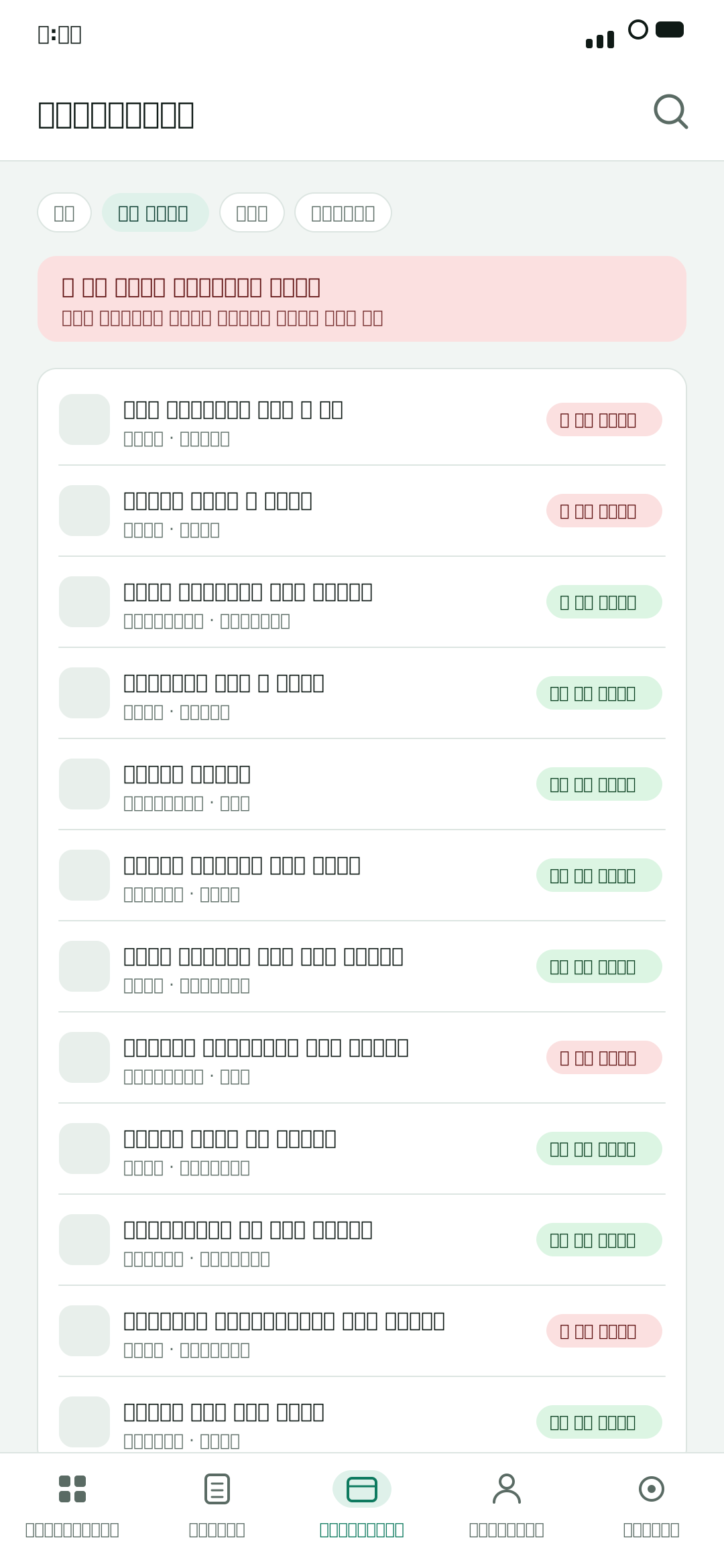
Who owes how much, and since when, in one list. One tap to record a payment.
Your shop's whole book in one app, in plain Bengali.
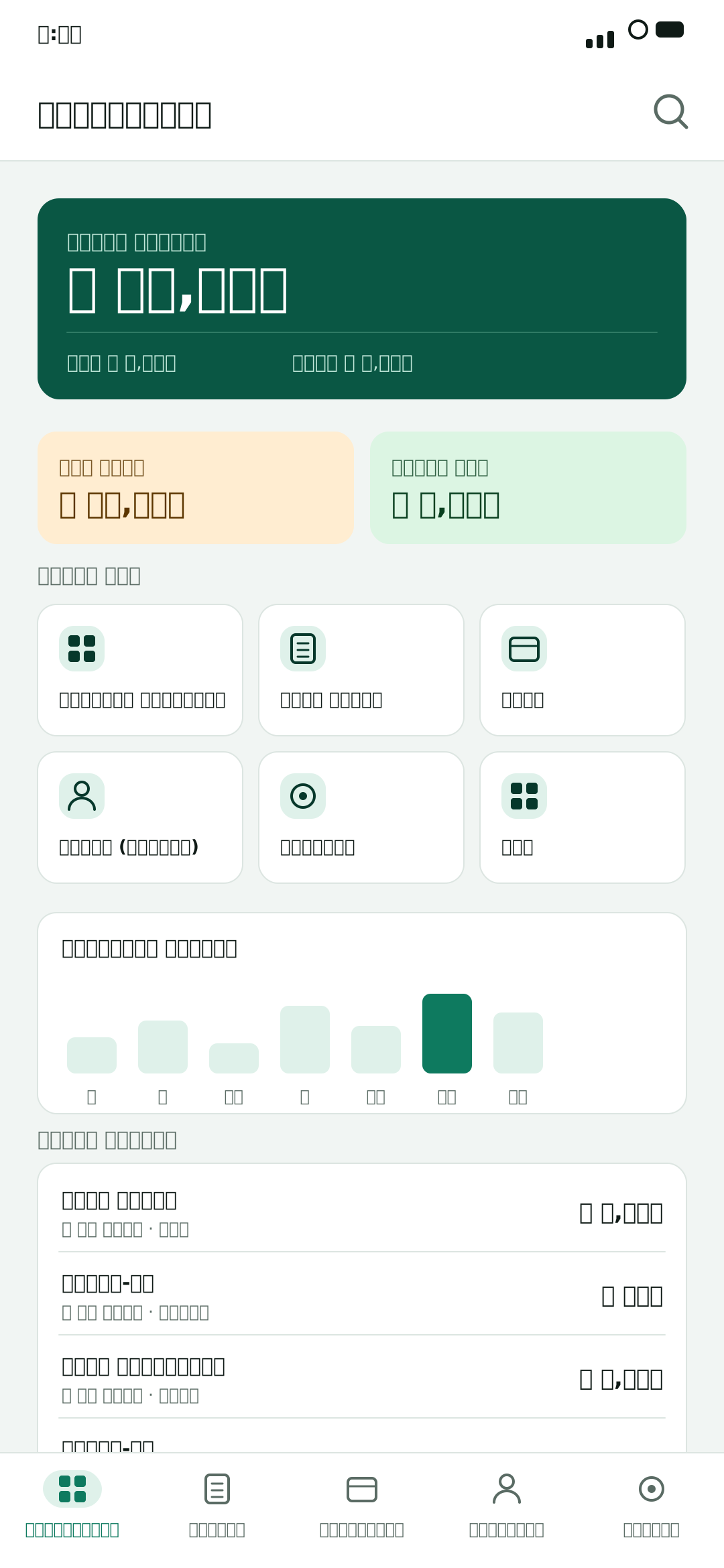
Paper khatas lose track of dues, reminders feel awkward, and month-end profit never adds up.
A khata that gets wet, torn or lost takes the accounts with it
Who owes what, and for how long, has to live in your head
At month end you cannot say for certain whether you made money
PakaKhata keeps every due and every sale on a server.
Lose the phone and you still have the books.
Pick your kind of shop when you register. Product categories, brands and expense heads all arrive ready for that trade, so nothing starts from an empty list.
Grocery
Pharmacy
Electronics
Mobile & accessories
Clothing
Footwear
Hardware
Construction materials
Sanitary ware
Agro inputs
Furniture
Gifts & showpieces
Cosmetics
Stationery
Bakery, sweets & fast food
General store
Other
Not quite on the list? Pick “Other” — nothing in the app works differently, and it can be changed later.
What you need every day — and what you'll need as the shop grows.
Who owes how much, and since when, in one list. One tap to record a payment.
A sale takes seconds to record. Print a receipt on a paired Bluetooth printer.
You can do it with the shop still open.
Register with your phone number. It takes under a minute.
Copy them over from the old khata once. After that everything lives in the app.
Record the day's sales and the reports build themselves.
The screens you'll use every day.
Your shop, at a glance
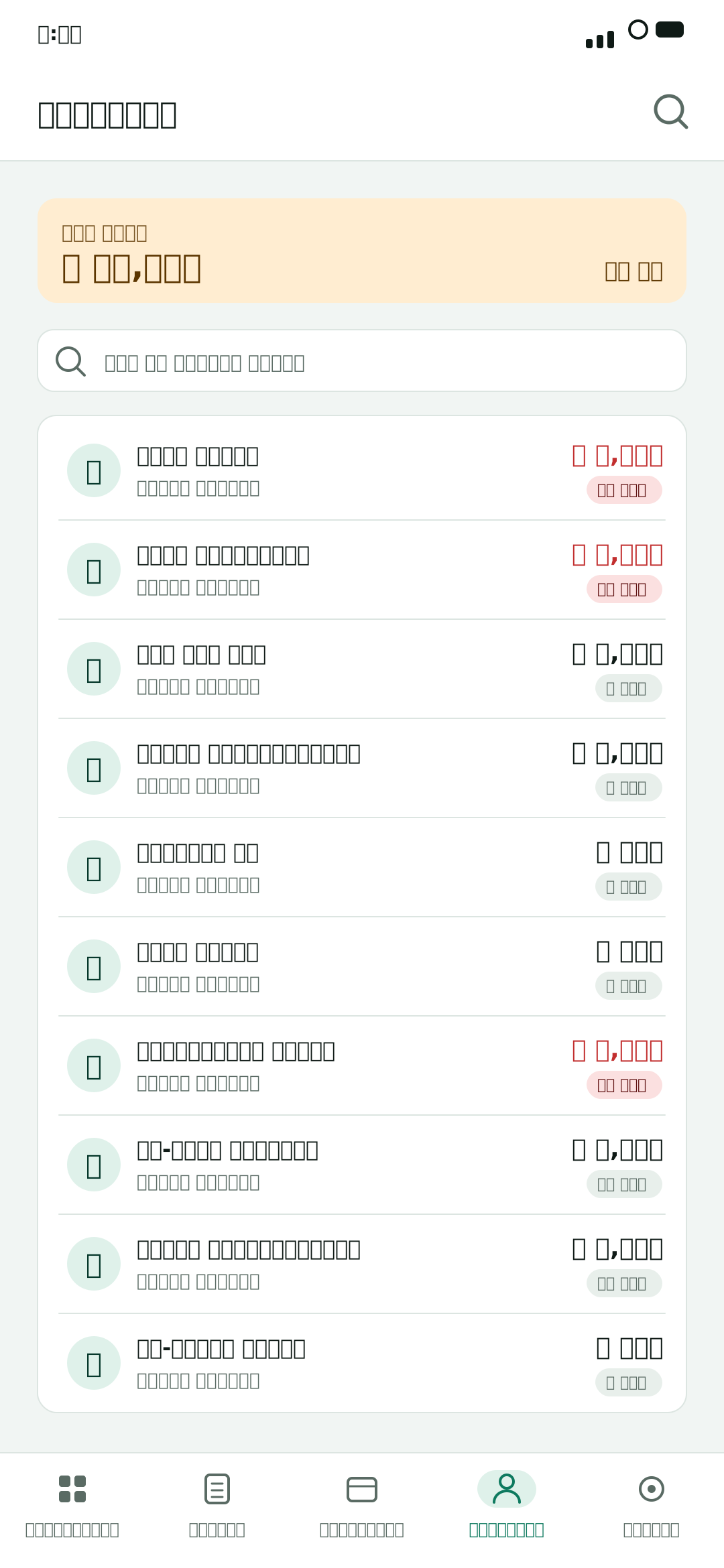
No more remembering who owes what
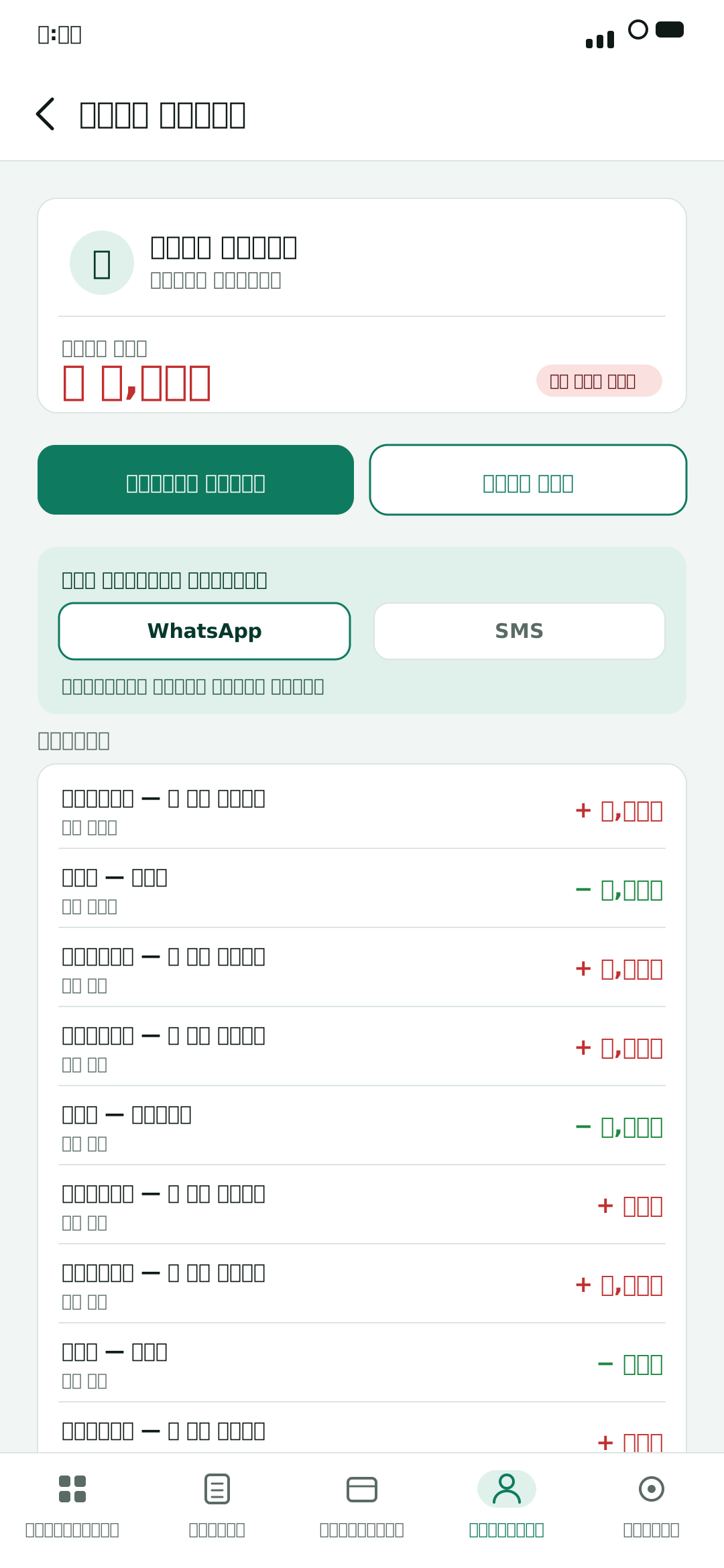
A WhatsApp reminder in one tap
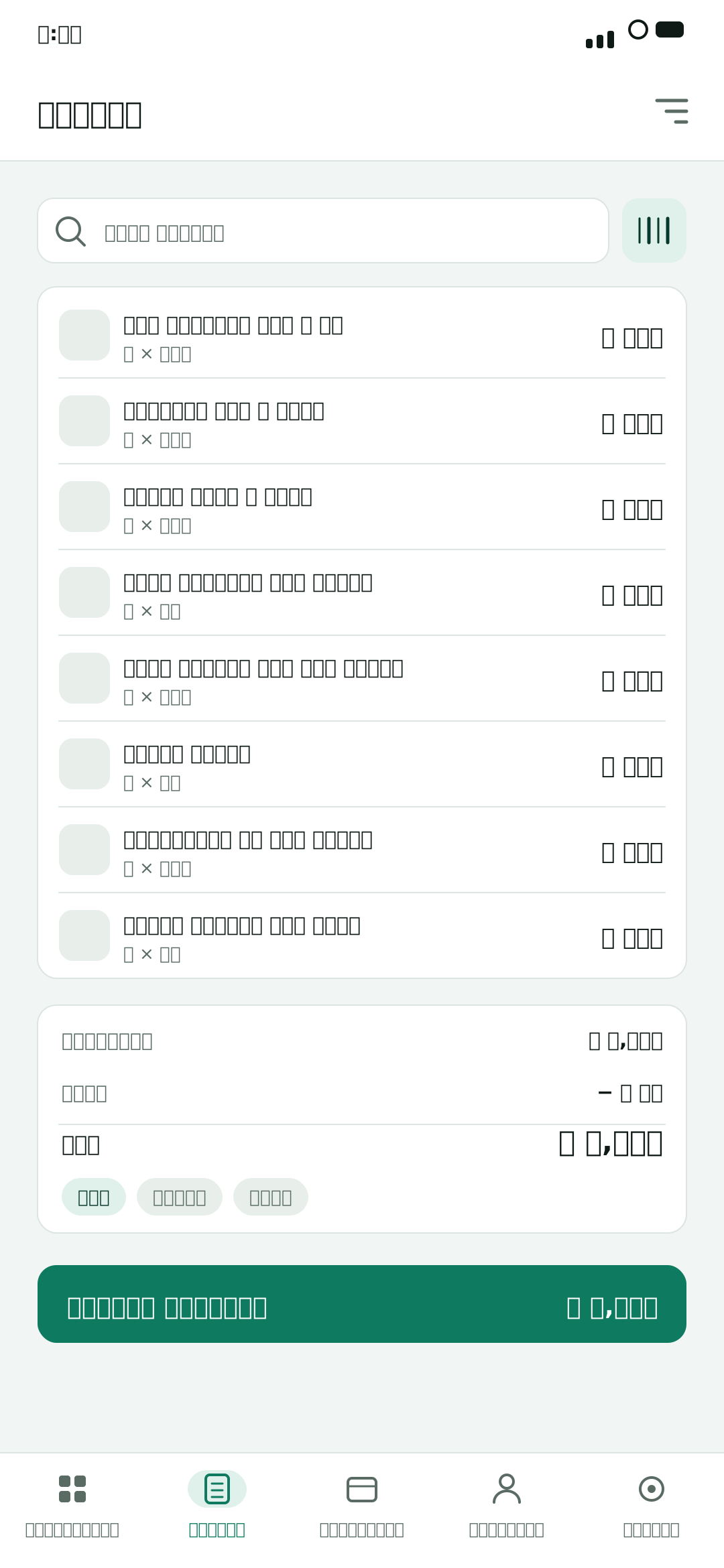
A sale takes seconds
Know before the stock runs out
Month end finally adds up
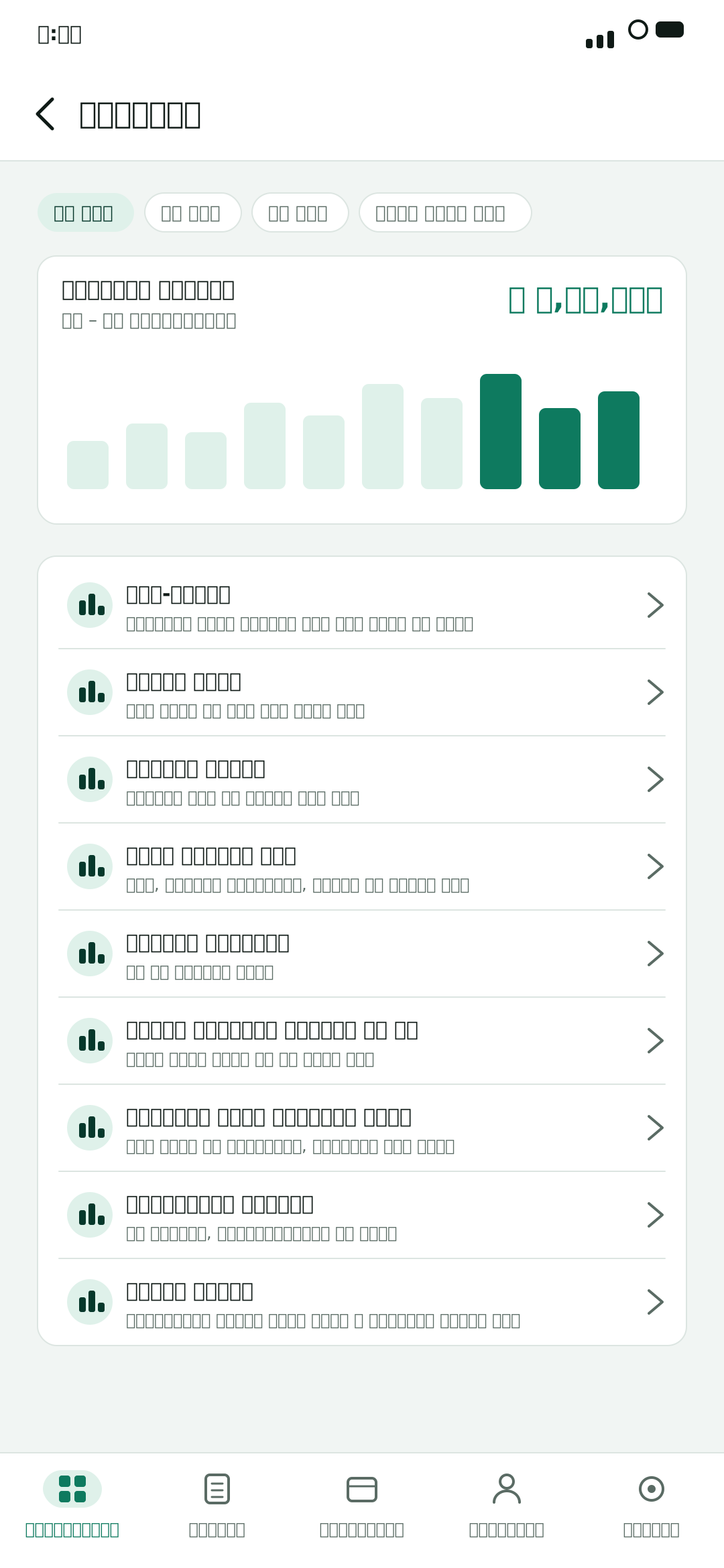
Each one answers a question — the questions a shop actually asks.
Sales summary
What sold, what was collected, what is still owed
Profit & loss
Sales less what the goods cost you
Best sellers
What moves, and what actually earns
How money came in
Cash, mobile banking, card and credit
How old are the dues
Who has owed you, and for how long
Stock value
What the shelves are worth right now
Purchases
What you bought, what you owe suppliers
VAT
VAT on sales, less returns and purchase VAT
Staff sales
Who sold how much
Cash drawer
Whether the cash matched at the end of a shift
Set the date range once and all ten reports answer for that period.
Saying it out loud is hard. Sending a message is not — and it goes out in your own words.
You decide the wording — your shop's name, the amount, and the way you would put it.
Whichever actually reaches that customer.
The app never messages anyone on its own. Nothing goes out unless you send it.
SMS needs a credit pack. WhatsApp opens the app already on your phone.
Try it for 14 days, then pick what fits.
New shops get a 14-day trial.
Plans can't be shown right now. You can see them in the app.
Nothing renews automatically — when a plan ends, you choose whether to renew.
Pay with bKash or Nagad
Paying on the web is coming soon.
Install the app, name your shop, and you're going.
The app is not published on Google Play yet. The moment it is, this button takes you straight there.
Android phones and tablets
Android 7.0 or later
No. Your books are kept on a server, so the app needs a connection. The upside is that losing or changing your phone doesn't lose your accounts.
Android phones and Windows PCs for now. There's no announcement about an iPhone version.
No. You can still see everything you've recorded. An active plan is needed to complete new sales and to add products, branches, staff or counters.
No. Nothing auto-renews. When a plan's period ends it simply stops, and you renew only if you want to.
No. You decide which customer gets a message and when. The app never sends anything by itself.
No — you can record sales without receipts. If you have one, you can print to a Bluetooth printer already paired with the phone.
It travels over an encrypted connection and is kept on secure servers. Your data is never sold for advertising, and there's no ad code in the app.